Creating a New Project
To create a new CFHEADER .NET project in Visual Studio, simply follow these steps:
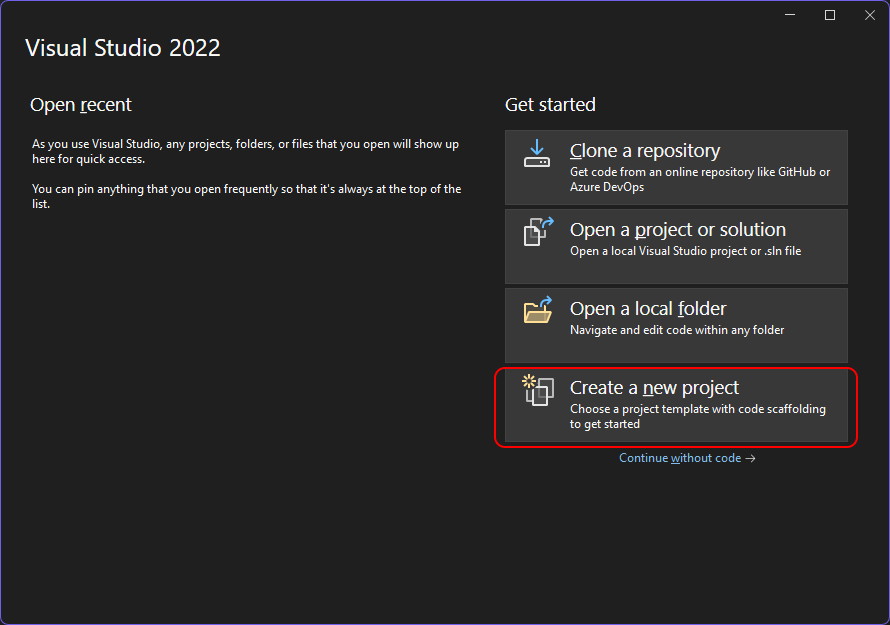
- Open Visual Studio and select “Create a new project”.
 <html><p> </p></html>
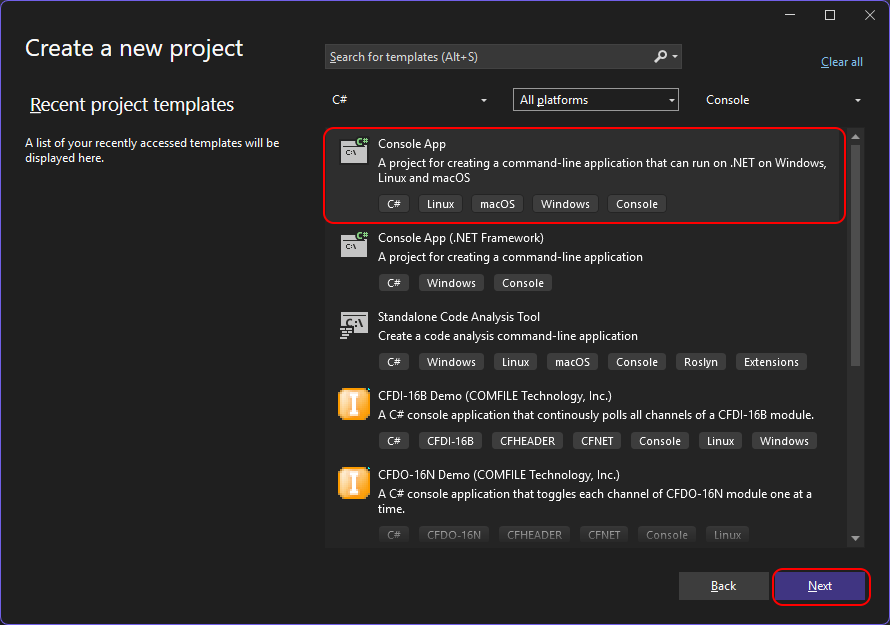
 - Select the project type from one of the project templates.
 <html><p> </p></html>
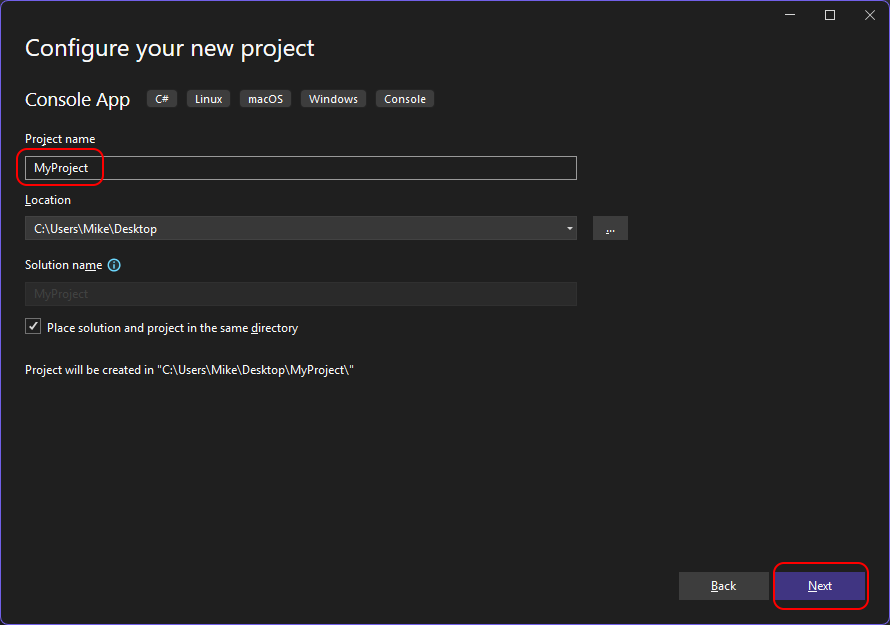
 - Give the project a name.
 <html><p> </p></html>
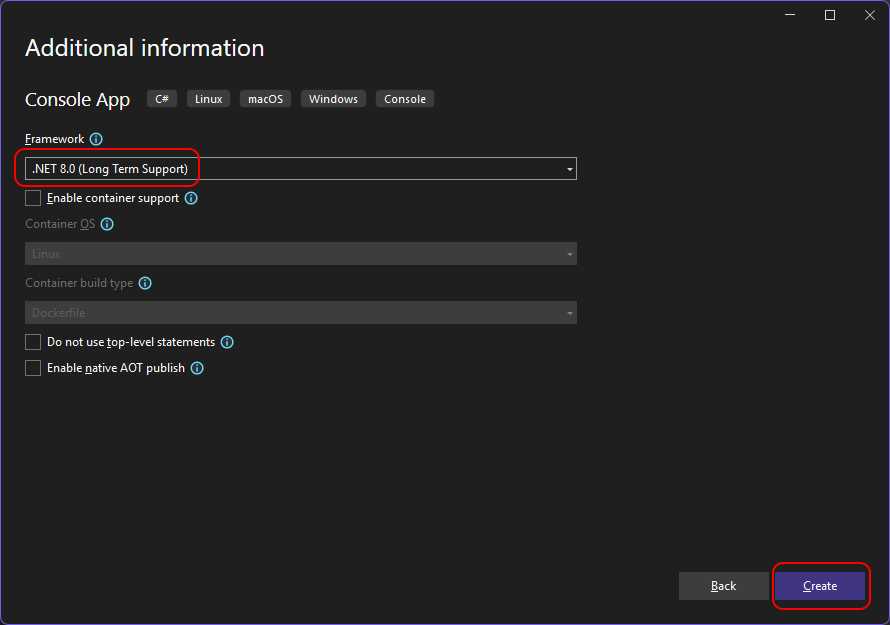
 - Select additional project options.
 <html><p> </p></html>
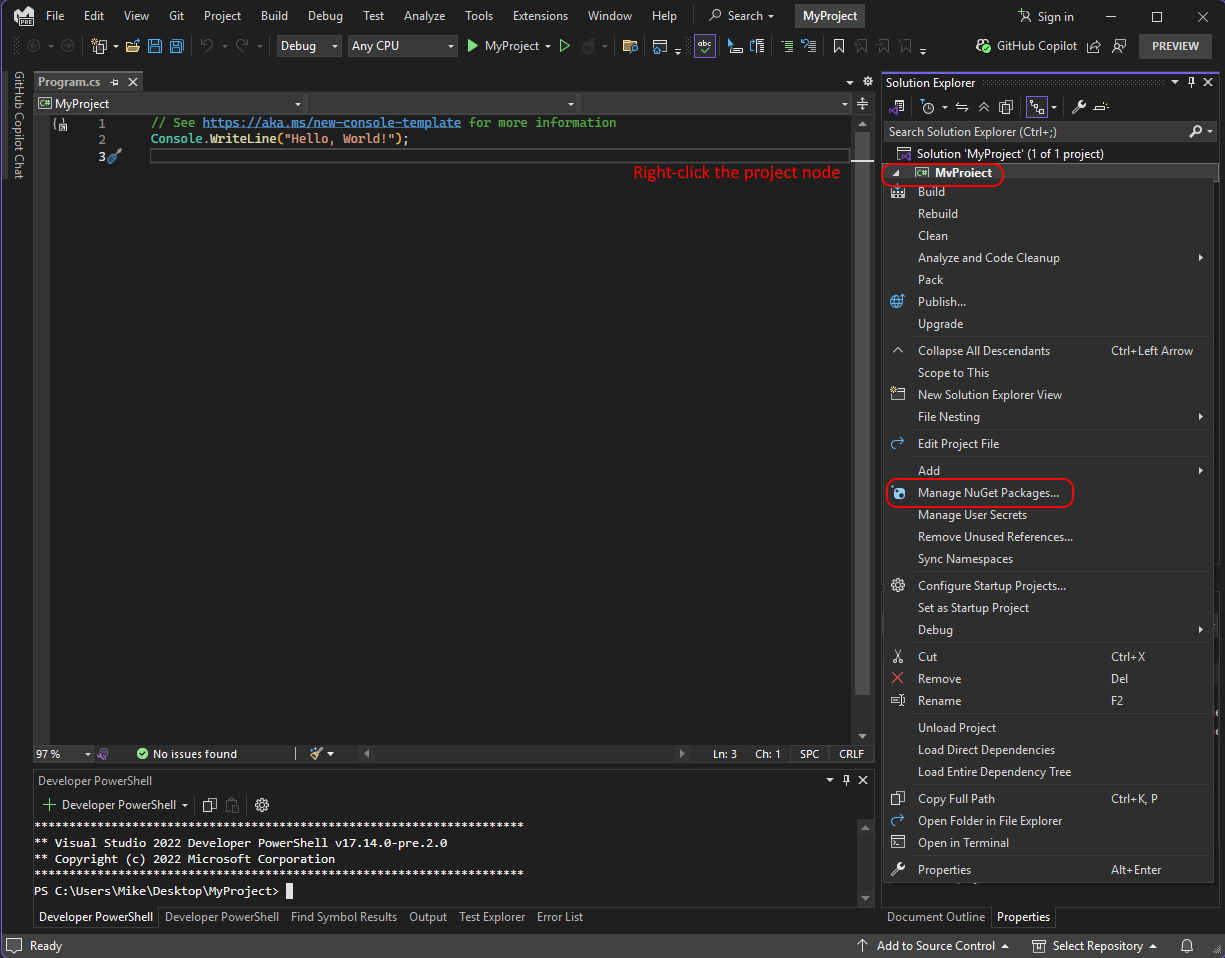
 - Right-click on the project node and select “Manage Nuget Packages…”.
 <html><p> </p></html>
 - Install the
ComfileTech.Cfnet.CfheaderNuget package.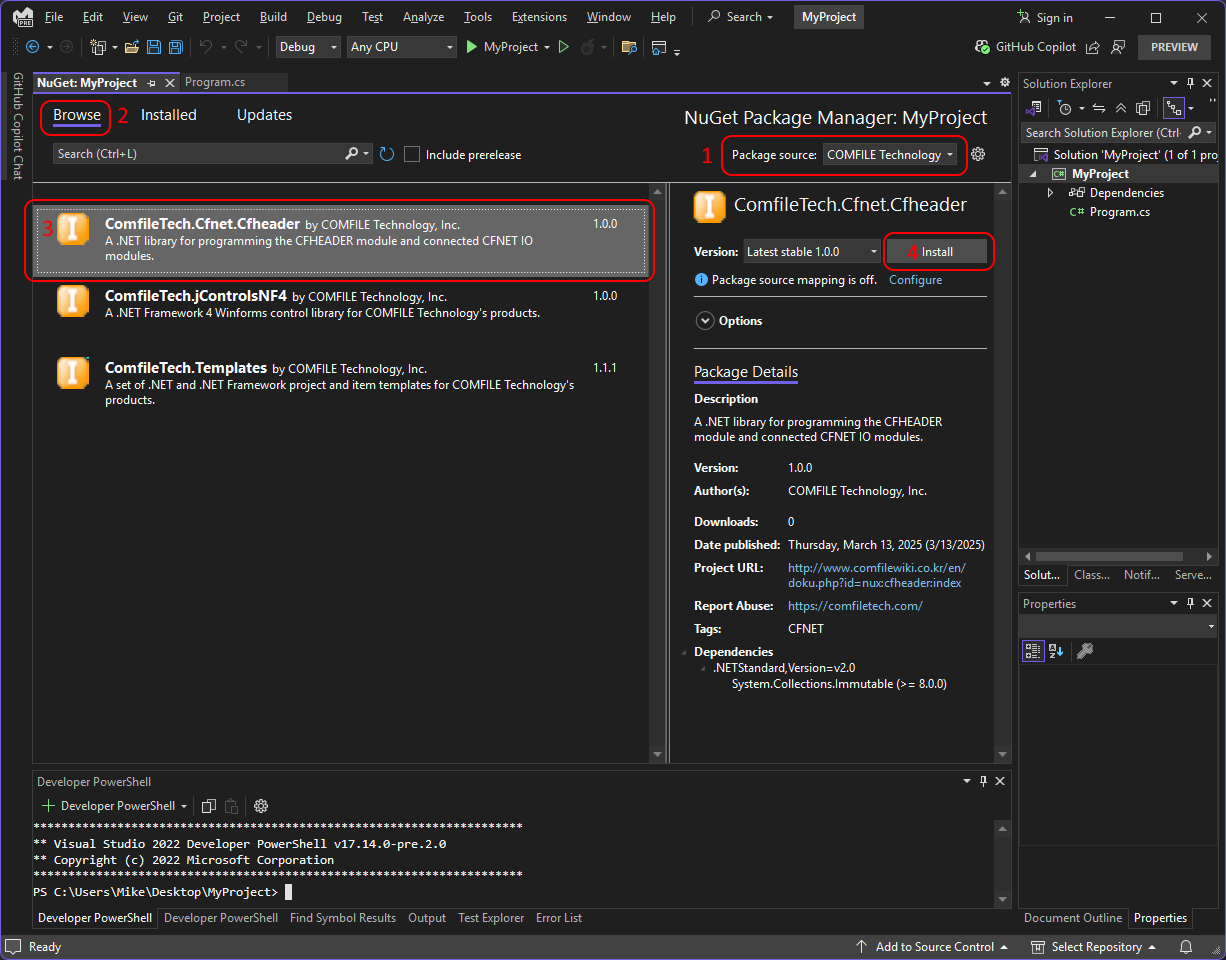 <html><p> </p></html>
 - Write code.
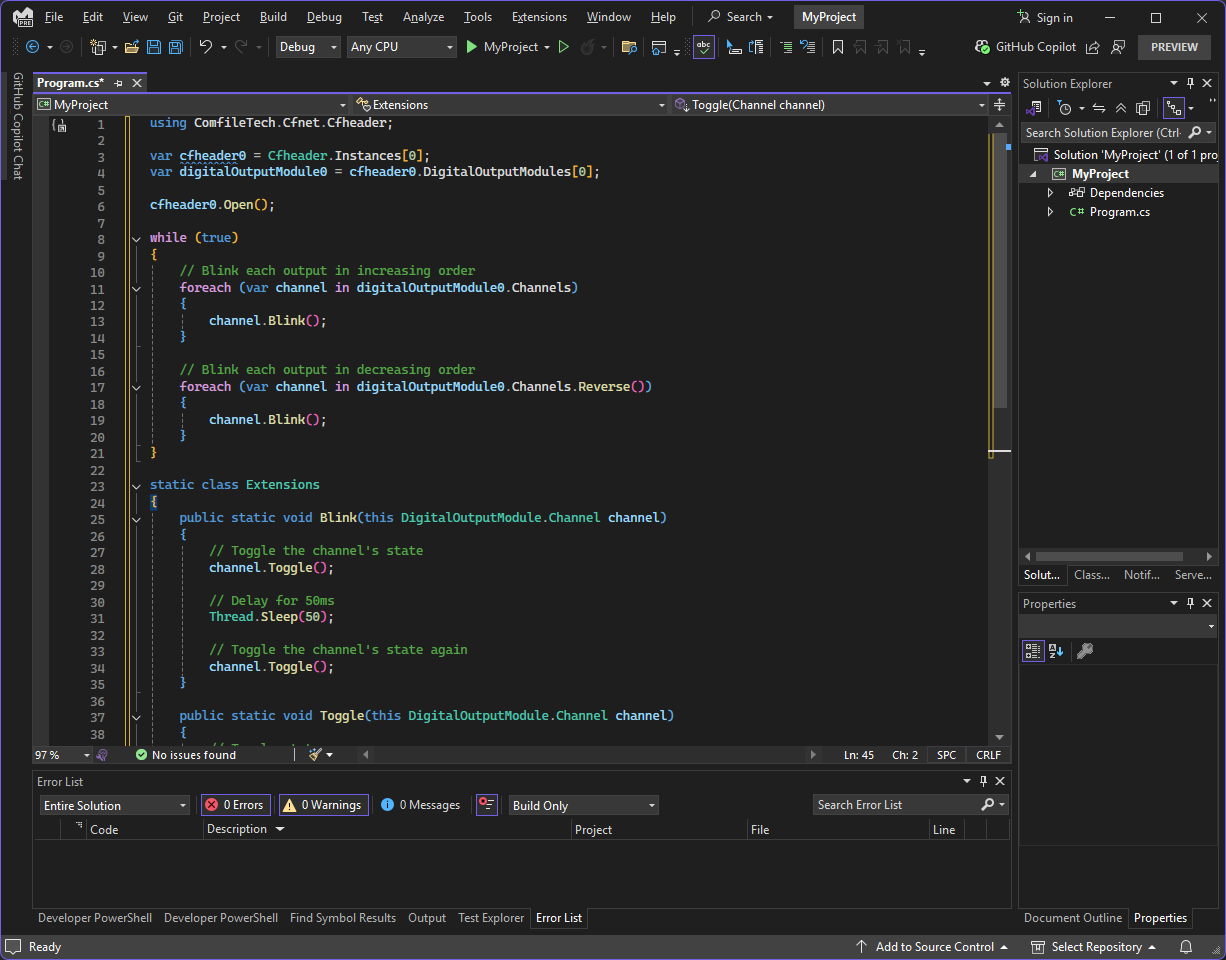
<html><p> </p></html> Try the following example:
using ComfileTech.Cfnet.Cfheader;

var cfheader0 = Cfheader.Instances[0];
var digitalOutputModule0 = cfheader0.DigitalOutputModules[0];

cfheader0.Open();

while (true)
{
    // Blink each output in increasing order
    foreach (var channel in digitalOutputModule0.Channels)
    {
        channel.Blink();
    }

    // Blink each output in decreasing order
    foreach (var channel in digitalOutputModule0.Channels.Reverse())
    {
        channel.Blink();
    }
}

static class Extensions
{
    public static void Blink(this DigitalOutputModule.Channel channel)
    {
        // Toggle the channel's state
        channel.Toggle();

        // Delay for 50ms
        Thread.Sleep(50);

        // Toggle the channel's state again
        channel.Toggle();
    }

    public static void Toggle(this DigitalOutputModule.Channel channel)
    {
        // Toggle state
        channel.State = !channel.State;

        // Write the state to the module
        channel.Module.Header.Sync();
    }
}


