Table of Contents
Fills, Strokes, and Borders
Many of the properties in jControls CF35 have Fill properties and Stroke/Border properties. The Fill property is used to color the interior region of the control, and the Stroke/Border property is used to color the outer perimeter of the control.
Type Property
jControls CF35 supports 3 different fill/stroke/border brush types: Solid, LinearGradient, and RadialGradient. Each are described in turn below.
Solid
With the Solid Type, only Color1 has an effect; all other properties are irrelevant, and hidden in the Visual Studio property grid.
 |  |
LinearGradient
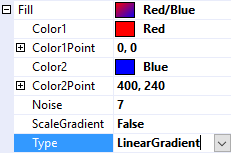
With the LinearGradient Type, the color with gradually change linearly from Color1 at Color1Point to Color2 at Color2Point. If ScaleGradient is False, the gradient does not scale with the size of the control.
 |  |
RadialGradient
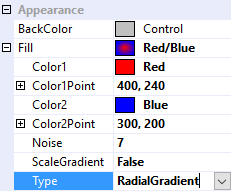
With the RadialGradient Type, the color with gradually change radially outward from Color1 at Color1Point to Color2 with an x,y radius of Color2Point. In other words, Color1Point specifies the center of the radial gradient, and Color2Point specifies the x,y radius at which the gradient spreads.
 |  |
ScaleGradient Property
If ScaleGradient is False, the gradient will not change with the size of the control. But, if ScaleGradient is true, Color1Point and Color2Point are interpreted as percentages of the control's size, so the gradient will scale proportionally with the size of the control.
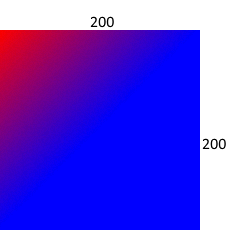 | 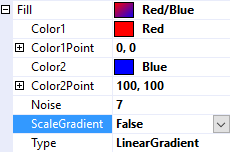 | The gradient travels only until point Color2Point (100,100) after which all points are Color2. |
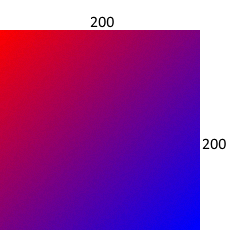 | 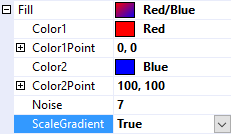 | The gradient travels 100% of the width and 100% of the height; (i.e. Color2Point: 100,100 is interpreted as (100%,100%)) |
Noise Property
Noise can be added to gradient brushes to reduce the banding symptom.
 | 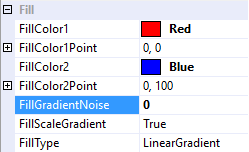 |
| Notice the horizontal bands with each color change. | |
 | 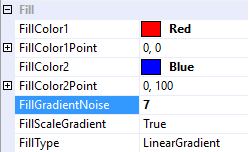 |
| Banding can be reduced by adding noise to the gradient. | |
Alpha Blending and Transparency
All colors can be entered with an alpha component to provide alpha blending and transparency. For example, typing “128, 255, 0, 0” in “Alpha, Red, Green, Blue” order would produce a 50% transparent (A=128/255 ≈ 50%) red (R=255) color.
Thickness Property
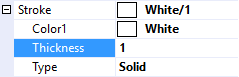
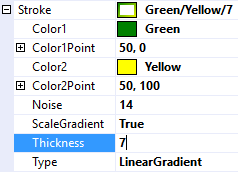
Strokes and Borders have an additional Thickness property used to specify the width of the perimeter to color.
 |  |
 |  |
BackColor Property
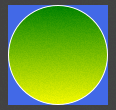
The BackColor property is inherited from the .Net Compact Framework's Control class. It colors the entire area of the control before anything else is drawn. It doesn't have much utility in jControls CF35, so it usually defaults to transparent.
 |  |
 |  |