Comfile Studio Main Window Overview
Comfile Studio's main window is arranged as shown below.
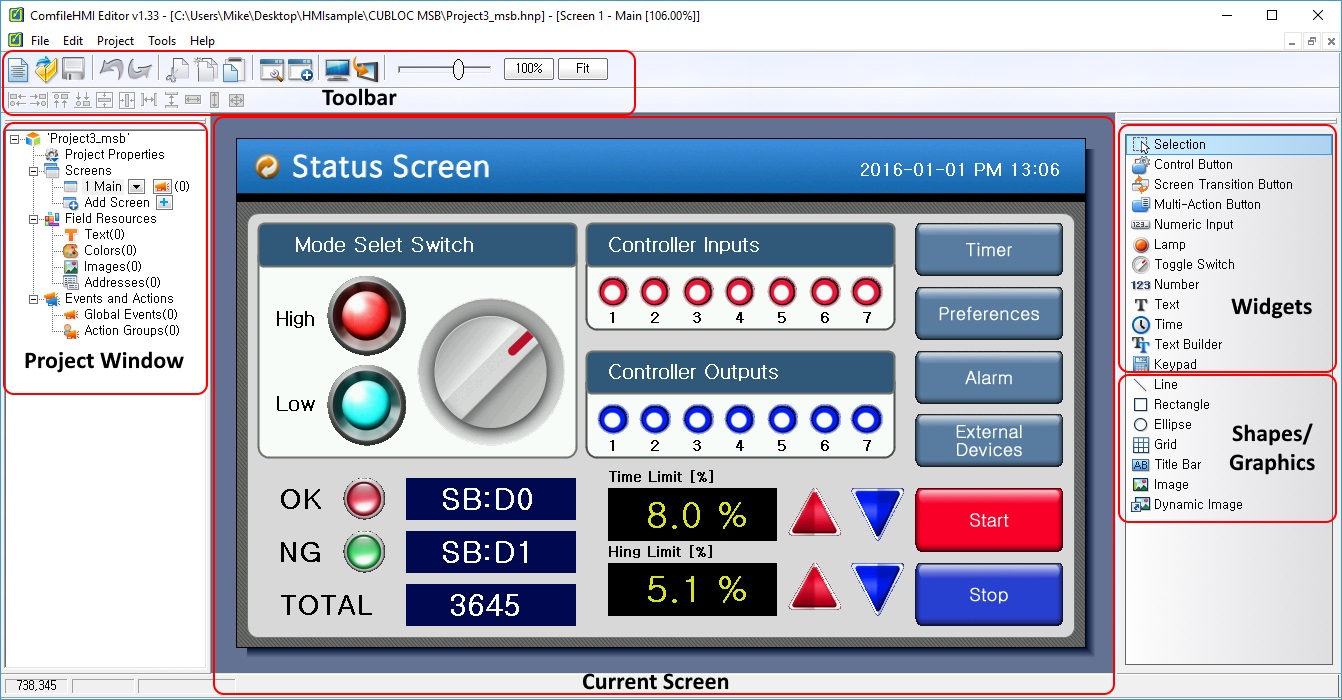
Description of Each Component
| Toolbar | Easy access to the most commonly used features and tools. |
|---|---|
| Project Window | A hierarchical view of each component in the project. |
| Widgets | Drag and drop widgets (buttons, knobs, lamps, etc…) to add them to the current screen. |
| Shapes/Graphics | Drag and drop shapes and images to add visual aesthetics to the current screen. |
| Current Screen | The currently selected screen. A project will typically contain multiple screens. |