
faduino:program_upload:index
Table of Contents
Uploading a Program
The FADUINO is an Arduino-compatible industrial controller. So you can use the same development environment.
Download IDE : http://arduino.cc/
USB Driver
Selecting the Hardware
FADUINO-32TA/12RA/24RA
 |  |
FADUINO-18TA
- Tools> Board> Uno
Selecting the Serial Port
- Confirm the Serial Port number in Device Manager.
- Select the serial port from the IDE menu Tools> Port> COMx
 |  |
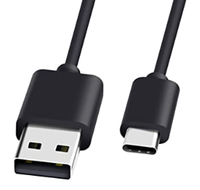
USB-C Upload Cable
Use a USB-C cable for upload.
The FADUINO-18TA has an upload selection switch, be sure to set it to upload mode.
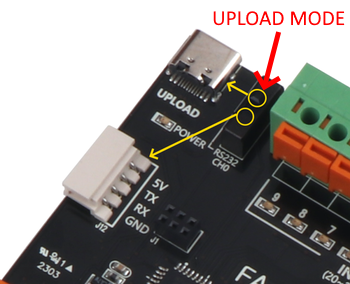
RS232C Upload Cable and Upload Port Connections


faduino/program_upload/index.txt · Last modified: by 127.0.0.1