
This is an old revision of the document!
Table of Contents
CUBASE
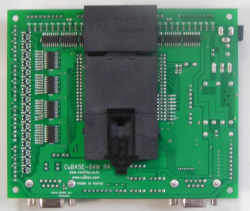
CUBASE is a base board designed for the CUBLOC Core module.
The CUBLOC Core module operates with 5 V-level I/O, which makes it unsuitable for direct use in industrial environments.
To enable application in industrial systems that typically operate at DC 24 V, a dedicated base board with appropriate interface circuitry is required. CUBASE provides the necessary circuits for DC 24 V industrial I/O, along with integrated DC/DC power supply, RS-232C, and RS-485 interface circuitry.
| CUBASE-32M | CUBASE-40M | CUBASE-64M | |
|---|---|---|---|
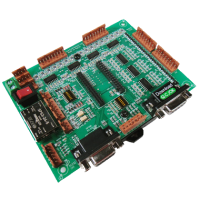 | 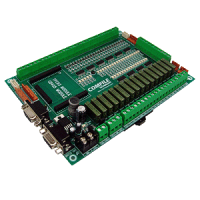 | 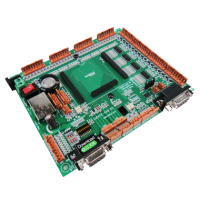 |
|
| CUBLOC Core Module | CB280 | CB400, CB405 | CB290 |
| Digital Inputs | 16 Opto-Isolated 7.5 to 24V | 24 Opto-Isolated 7.5 to 24V | 32 Opto-Isolated 7.5 to 24V |
| Digital Outputs | 12 Opto-Isolated 12 or 24V NPN TR | 16 Opto-Isolated RELAY | 32 Opto-Isolated 12 or 24V NPN TR |
| Analog Inputs | 6 Channel 10-bit ADCs Configurable Input Voltage: 0~5V or 0~10V | 4 Channel 10-bit ADCs: 0~5V | 8 Channel 10-bit ADCs Configurable Input Voltage: 0~5V or 0~10V |
| Analog Outputs | 6 Channel 16-bit PWMs Configurable Modes: PWM or DAC(0 to 5V) | 3 Channels 16-bit PWMs | 6 Channel 16-bit PWMs Configurable Modes: PWM or DAC(0 to 5V) |
| Counters | 2 Channel 16-bit High Speed Counters for 7.5 to 24V DC Pulse Input (10kHz) | 2 Channel 16-bit High Speed Counters for 5V Pulse Input (10khz) | 2 Channel 16-bit High Speed Counters for 7.5 to 24V DC Pulse Input (10kHz) |
| Keypad Support | Yes | Yes | Yes |
| CUNET, I2C Support | Yes | Yes | Yes |
| LCD/7-Segment Support | Yes | Yes | Yes |
| Power | Required Power: DC 12 to 28V Current Consumption w/ ports unloaded: @ 24VDC: 20mA Isolated External 5 VDC Output: 5V/300mA | Required Power: DC 12 to 28V Current Consumption w/ ports unloaded: @ 24VDC: 30mA Isolated External 5 VDC Output: 5V/600mA | Required Power: DC 12 to 28V Current Consumption w/ ports unloaded: @ 24VDC: 20mA Isolated External 5 VDC Output: 5V/300mA |
| Insulation Resistance | Input & Output & Input FG: DC500V, 100MΩ, Cut-off current: 10mA, 1Min | Input & Output & Input FG: DC500V, 100MΩ, Cut-off current: 10mA, 1Min | Input & Output & Input FG: DC500V, 100MΩ, Cut-off current: 10mA, 1Min |
| Vibration | 10~50Hz at 2G for 3 minute period, 30 minutes along X,Y and Z axis | 10~50Hz at 2G for 3 min. period, 30 min. along X,Y and Z axis | 10~50Hz at 2G for 3 minute period, 30 minutes along X,Y and Z axis |
| Impact | 10G for 20mS, Once on each X,Y and Z axis | 10G for 20mS, Once on each X,Y and Z axis | 10G for 20mS, Once on each X,Y and Z axis |
| Operating Temp. | -10˚C to 50˚C (10% to 95% RH Non-Condensing) | -10˚C to 50˚C (10% to 95% RH Non-Condensing) | -10˚C to 50˚C (10% to 95% RH Non-Condensing) |
| Storage Temp. | -10˚C to +70˚C (10% to 95% RH Non-Condensing) | -10˚C to +70˚C (10% to 95% RH Non-Condensing) | -10˚C to +70˚C (10% to 95% RH Non-Condensing) |
| Schematic | Schematic | Schematic | |
| IO Map | IO Map | IO Map | |
| Buy | Buy |
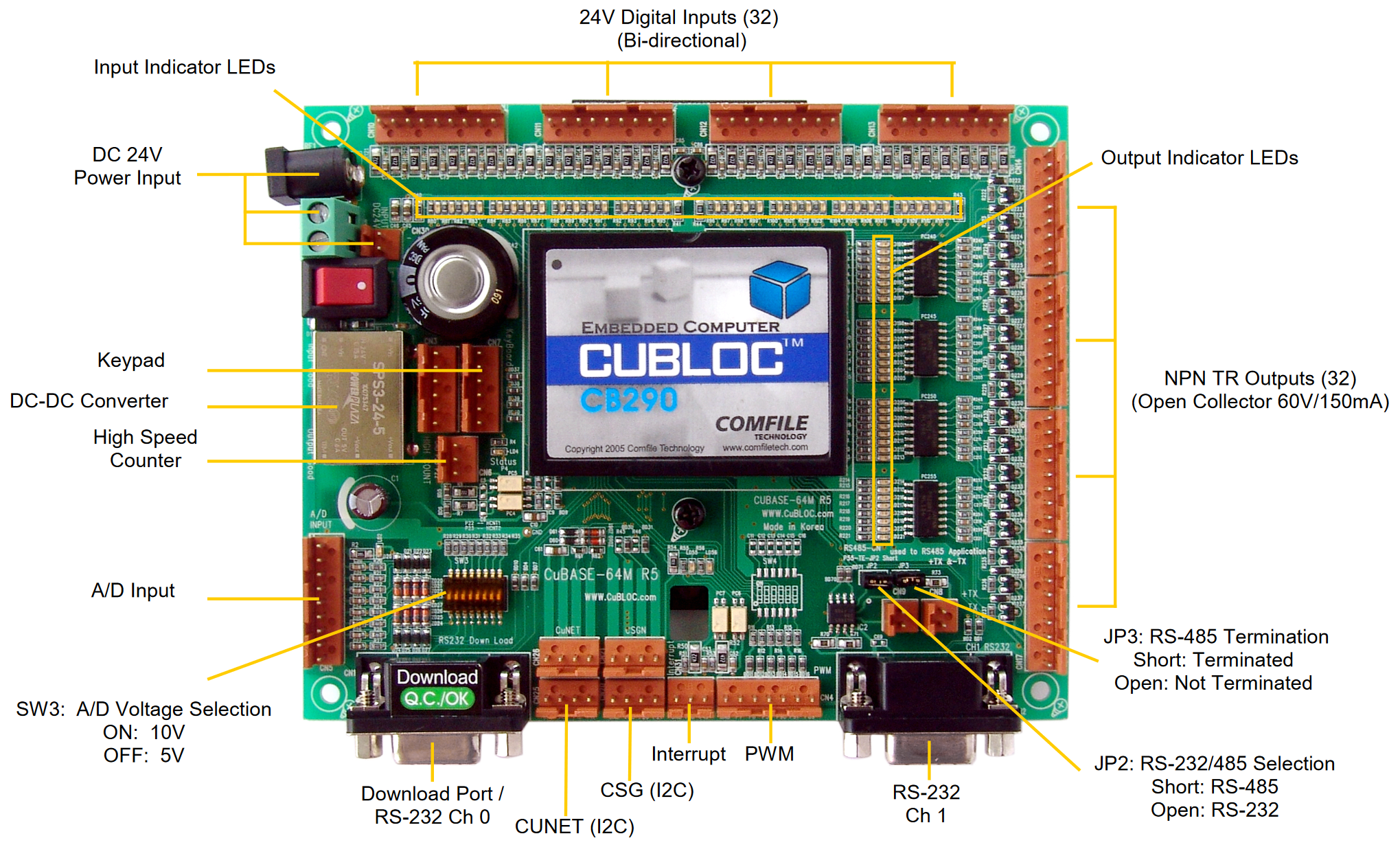
Programming the CUBLOC Core Module
To program the CUBLOC core module, you will need to use CUBLOC Studio: Download for free. With CUBLOC Studio installed on your PC, you can then write programs using BASIC or Ladder Logic.
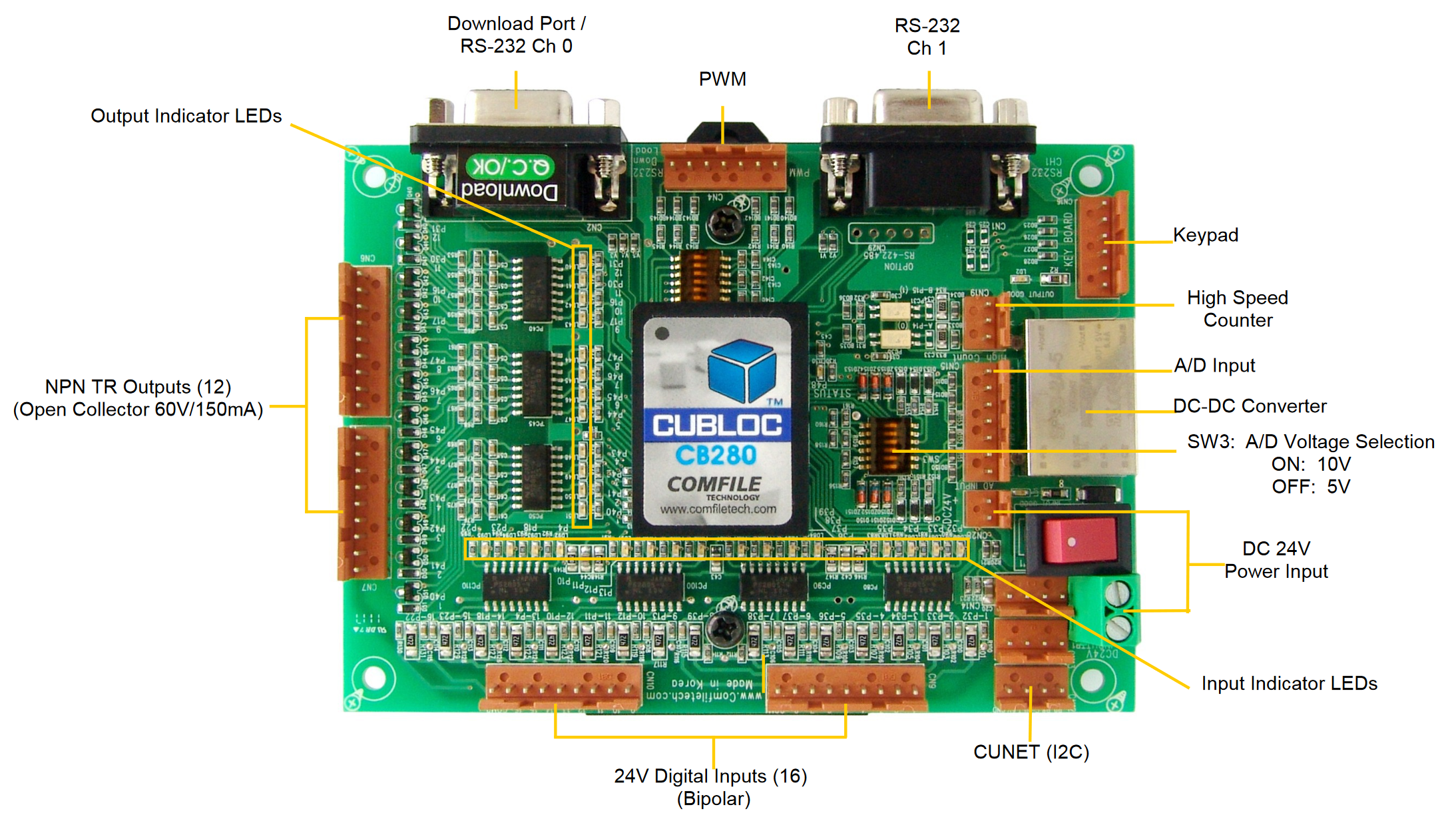
To download programs to the CUBLOC module, connect your PC to the CUBASE’s download port with an RS-232 cable. If your PC does not have an RS-232 port (COM port), you can use a USB to RS-232 converter. USB to RS-232 converters are available on our website.
For more detailed information about programming the CUBLOC, please refer to the CUBLOC User’s Manual.
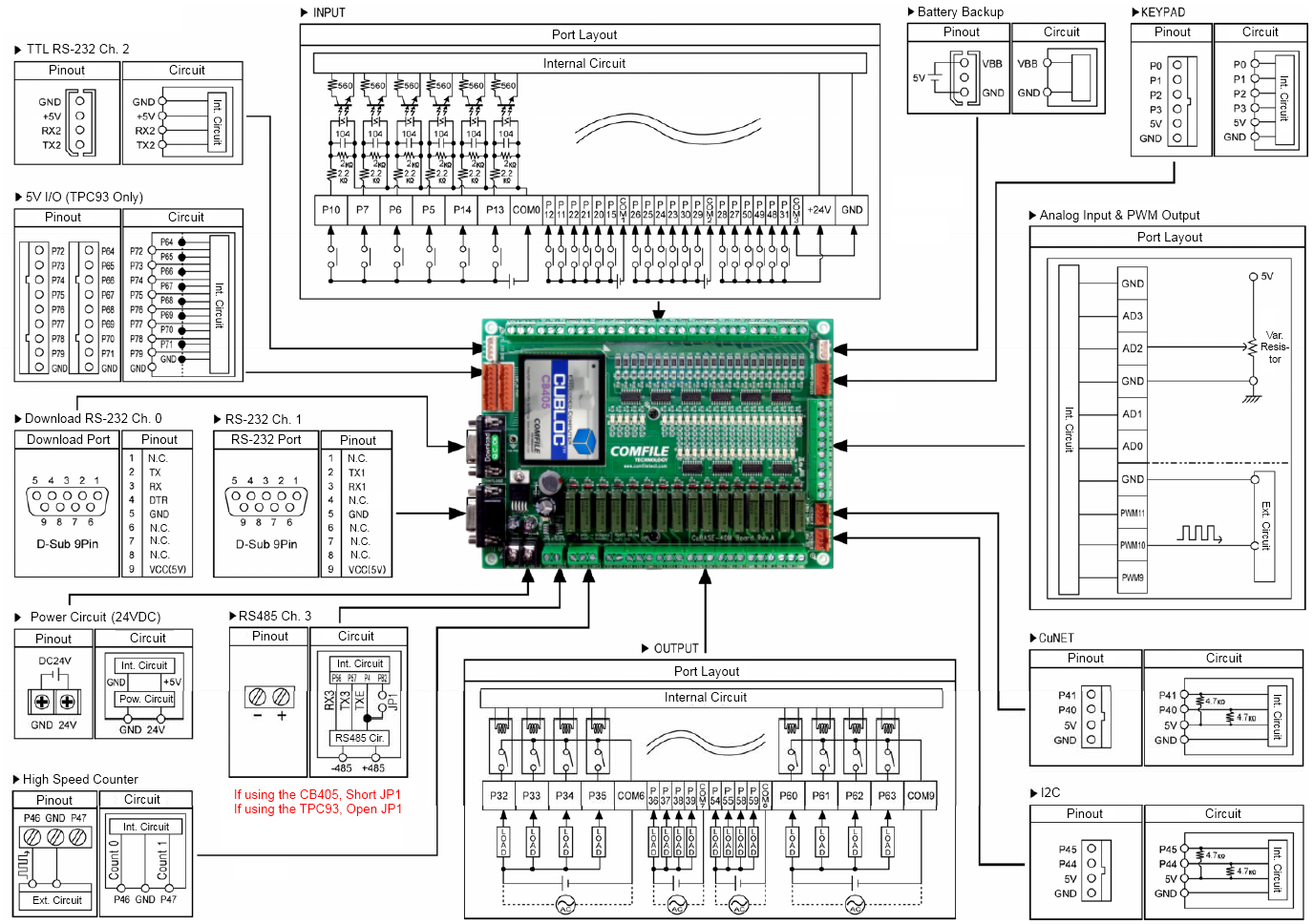
Please refer to the schematic and IO map links above or the CUBASE’s PCB for CUBLOC port mappings.
Connecting Inputs and Outputs
The CUBASE 32M has 2, 8-pin, input port blocks for a total of 16 digital inputs. Each port block has its own common voltage reference pin labeled “COM1” through “COM4”. All input voltages are measured relative to its respective port block’s common voltage reference pin.
The CUBASE 64M has 1, 8-pin output port block and 1, 4-pin output port block for a total of 12 digital outputs. Each output port block has an output voltage pin labeled “+24V”. The output voltage pins are wired to the CUBASE’s supply voltage, so while this is typically +24V, it all depends on the voltage you supply the CUBASE.
Display Devices
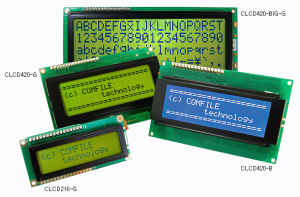
The CUBASE’s CUNET ports are I2C ports that can be used to interface to Comfile Technology’s various display devices.
The CUNET port is for interfacing to Comfile Technology's character LCD (CLCD) devices (CLCD420-B, CLSD420-G, CLCD216-G) or any other CUNET/I2C device
DIN Rail Mounting
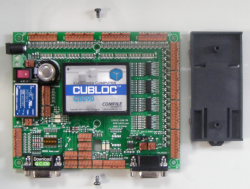
The CUBASE can be mounted to a DIN Rail using Comfile Technology’s DIN Rail brackets. Simply attach the DIN Rail bracket to the back of the CUBASE and fasten with two screws.
 |  |