Table of Contents
Interfacing with the MOACON
Connect the ComfileHMI's RS-232 port to the MOACON's RS-232 port as illustrated below (The Mocaon supports Modbus RTU on channels 0, 1, and 2).
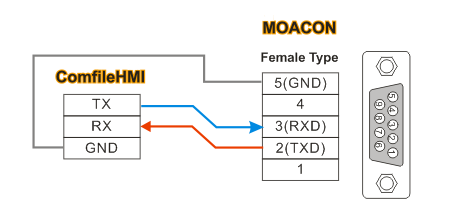
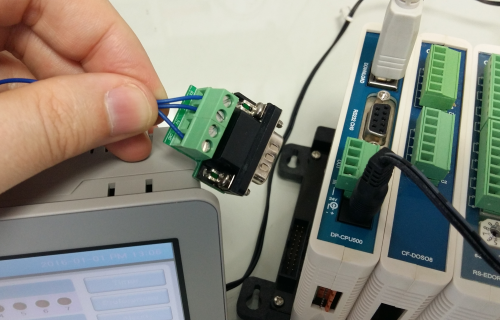
Use the RS232 Terminal Contact to make the connections.
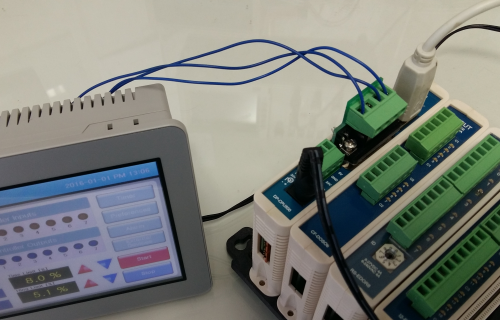
For RS-485, connect the ComfileHMI's RS-485 port to the MOACON's RS-485 port as illustrated below.
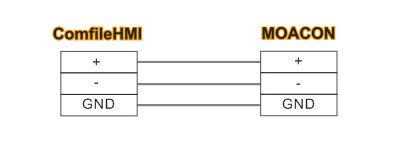
ComfileHMI's Communication Settings
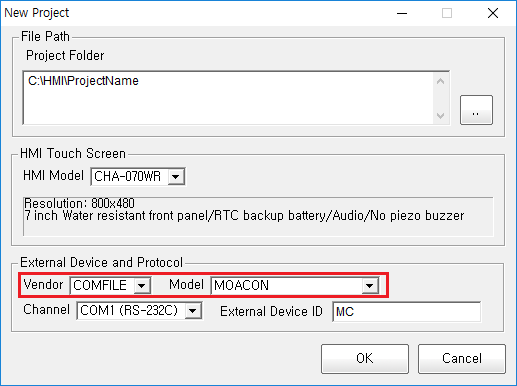
When creating a new project, select the COMFILE and MOACON protocols.
In the ComfileHMI project, use the addressing scheme described here: https://en.wikipedia.org/wiki/Modbus#Modbus_object_types
Moacon Source Code
Please use the latest version of MOACON Studio.
The following minimal source code illustrates how to create a Modbus RTU slave on serial channel 0.
#include "moacon500.h"
void cmain(void)
{
	static u8 MDcoil[100];
	static u16 MDregister[100];
	openCom(0,115200, C8N1);                // RS232C Channel 0 at 115200bps
	startModbusRtu(0,1,MDregister, MDcoil); // Start the Modbus RTU slave with slave address 1

	delay(100);
	for(;;) { }    // Loop forever
}
- The above source code implements a Modbus RTU slave on the MOACON's serial channel 0. The ComfileHMI will therefore be the MOACON's master.
- The MOACON only supports 1 Modbus slave at a time regardless of the channel(s) used. Running two Modbus slaves on two different channels is not supported.
- If you experience communication problems between the MOACON and the ComfileHMI, please try the source above for troubleshooting. If there is a programming error in the MOACON source code, communication between the MOACON and the ComfileHMI can become problematic.
coil and coilSet Functions
The following functions are provided to make reading and writing individual bits in the Modbus coil region more convenient.
- coil(addr) : Read bit corresponding to a given Modbus address
- coilSet(addr, value) : Write bit corresponding to a given Modbus address
#include "moacon500.h"

static u8 MDcoil[100];
static u16 MDregister[100];

//
// Read a bit corresponding to a given Modbus address
// a = coil(9); // Bit corresponding to Modbus address 00009 is read

u8 MDbitDecode[8] = {1,2,4,8,16,32,64,128};

u8 coil(u16 MDBSadr)
{
    MDBSadr--;
    if (MDcoil[MDBSadr>>3] & MDbitDecode[MDBSadr & 7]) return 1;
    return 0;
}

//
// Write bit corresponding to a given Modbus address
// coilSet(9,0); // Set bit corresponding to Modbus address 9 to 0
// coilSet(9,1); // Set bit corresponding to Modbus address 9 to 1
//

void coilSet(u16 MDBSadr, u8 MDBSdata)
{
    u16 arrayindex;
    MDBSadr--;
    arrayindex = MDBSadr>>3; // The location in the array
    if (MDBSdata==0)
    {
        MDcoil[arrayindex] &= ~MDbitDecode[MDBSadr & 7];
    }
    else
    {
        MDcoil[arrayindex] |= MDbitDecode[MDBSadr & 7];
    }
}

void cmain(void)
{
   openCom(0,115200, C8N1);
	startModbusRtu(0,1,MDregister, MDcoil);
	clcdI2cInit(0);
	clcdPower(1);
	delay(100);
	portInit(3,0);
	while(1)
        {
            MDregister[0]++;  // Increment for verification on the ComfileHMI
            MDcoil[0]++;      // Update coils 1~8 and verify on the ComfileHMI

            if (coil(17) != 0)
            {
                portOn(30);
            }
            else
            {
                portOff(30);
            }

            if (portIn(0)==0)
            {
                coilSet(18,0);
            }
            else
            {
                coilSet(18,1);
            }
	    delay(1);
        }
}
A video demonstrating this program can be found below.
Video Demonstration
<html> <center> <iframe width=“560” height=“315” src=“https://www.youtube.com/embed/3eWGlo67NHI” frameborder=“0” allowfullscreen></iframe> </center> </html>
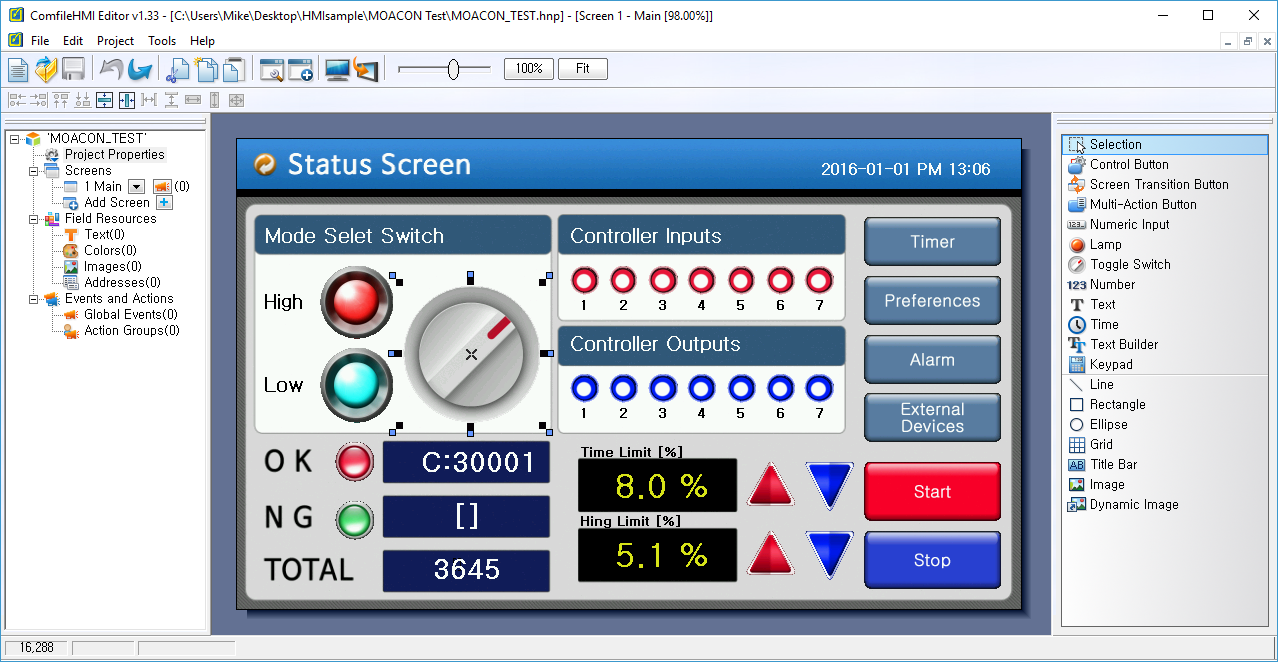
ComfileHMI project demonstrated in the video above