
comfilehmi:hmi_draw:index
Adding Shapes and Widgets to a Screen
Shapes and widgets can be added to a screen using the following procedure.
- Select a shape or widget from the pane on the right.
- Select a point on the screen to be the widget's location.
- Drag the mouse to adjust the size of the widget.
- Double-click the widget on the screen to modify its properties.
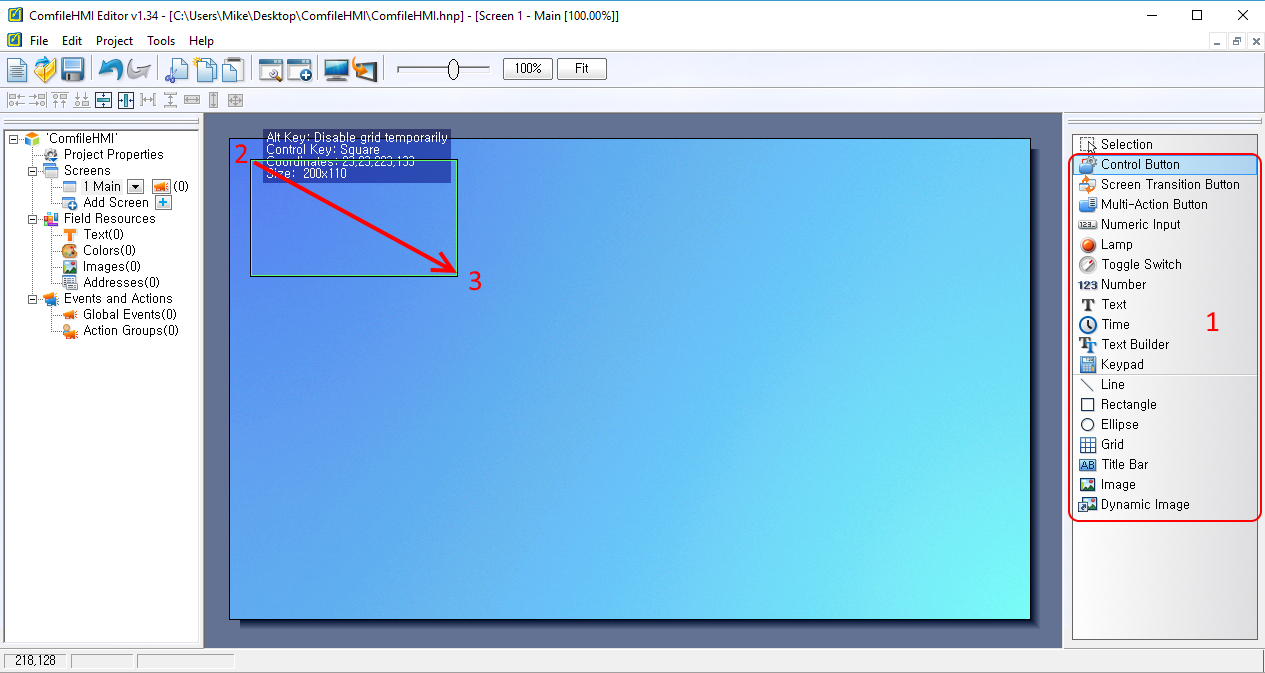
This procedure is illustrated in the following video.
comfilehmi/hmi_draw/index.txt · Last modified: by 127.0.0.1