
Sidebar
comfilehmi:hmi_connection_modport:index
Table of Contents
Interfacing with the MODPORT
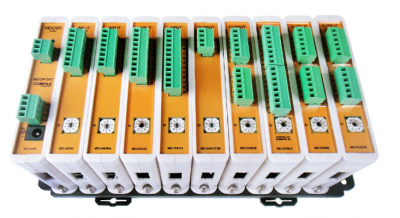
The MODPORT is a field I/O product created by COMFILE Technology. It is an excellent accessory for the ComfileHMI if you need to easily supplement the ComfileHMI with I/O features.
- Digital I/O, Analog I/O, temperature sensing and more are all possible with the MODPORT.
- The MODPORT is especially convenient because it requires no programming.
- The ComfileHMI supports protocol for MODPORT.
Comfile Studio Settings
When creating a new project, select COMFILE, MODPORT as shown below.
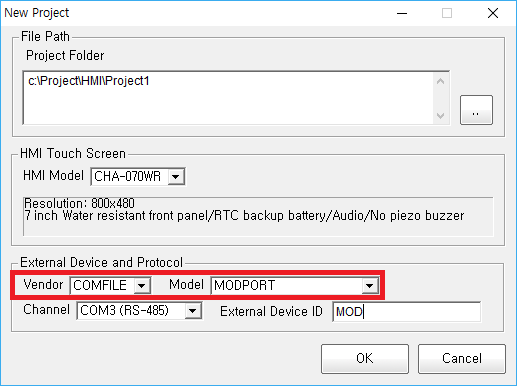
- Baud Rate is fixed at 57600,8, N, 1.
- For models with RS-485 on COM3 (CHA-070WT, CHA-070WR), set the Channel to COM3.
- To use MODPORT on models with only COM1, set <line> to COM1 and use a separate RS232-TO-RS485 converter.
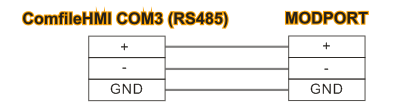
How to connect MODPORT with ComfileHMI
- Connect the MODPORT to the ComfileHMI panel PC's COM3 port.
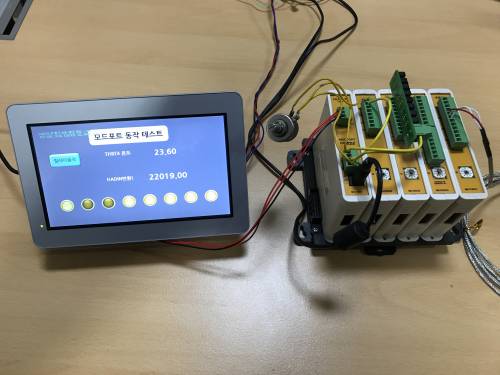
Example of Operation
DIO Module (digital input/ouput module)
| Model Name | Module Type | Description | Voltage / Current | Address for HMI |
|---|---|---|---|---|
| MD-DOSI8 | 8-pin DC Sink Output | DC Output x 8 (Sink Type) | DC 3.3V ~ 27V / 1A | 03101 ~ 03108 |
| MD-DOSO8 | 8-pin DC Source Output | DC Output x 8 (Source Type) | DC 12V ~ 24V / 1A | 03001 ~ 03008 |
| MD-DORL8 | 8-pin Relay Output | Relay Output x 8 | DC 6 ~ 27V / 4A AC 6 ~ 240V / 4A | 03201 ~ 03208 |
| MD-DIDC8 | 8-pin DC Output | DC Input x 8 (12V~24V) | DC 12V ~ 24V | 00001 ~ 00008 |
Analog Module
| Model Name | Module Type | Description | Input/Output Range | Address for HMI |
|---|---|---|---|---|
| MD-ADIN4 | 4 Channel Analog Input | 13.3-bit ADC x 4 | 0~10V, 1~5V (4~20mA) | 40101 ~ 40104 |
| MD-HADIN4 | 4 Channel High Resolution Analog Input | 16.6-bit ADC x 4 | 0~10V, 1~5V (4~20mA) | 40201 ~ 40204 |
| MD-THRT4 | 4 Channel Temperature Input | PT100 Ohm Temperature Sensor x 4 | -100.0 ~ 500.0 °C | 40301 ~ 40304 |
| MD-DAOUT2 | 2 Channel Digital-to-Analog Voltage Output | 16-bit DAC x 2 | 0~10V, 0~5V | 43301 ~ 43302 |
| MD-DAOUT2B | 2 Channel Digital-to-Analog Current Output | 16-bit DAC x 2 | 4~20mA, 0~20mA | 43401 ~ 43404 |
How to set the address on the HMI
For bit access, select 0 as the address prefix.
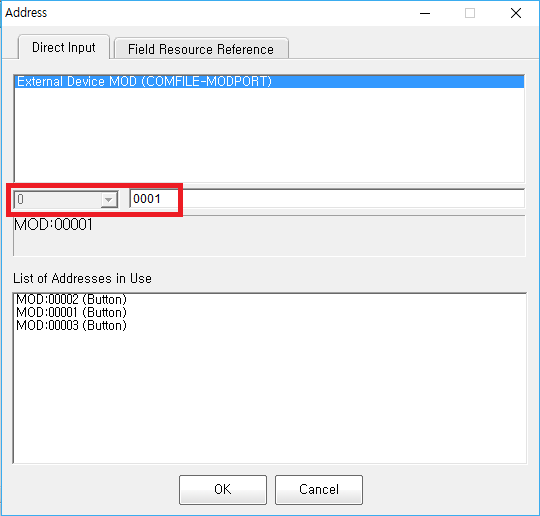
For word access, select 4 as the prefix and enter the address minus 40000.
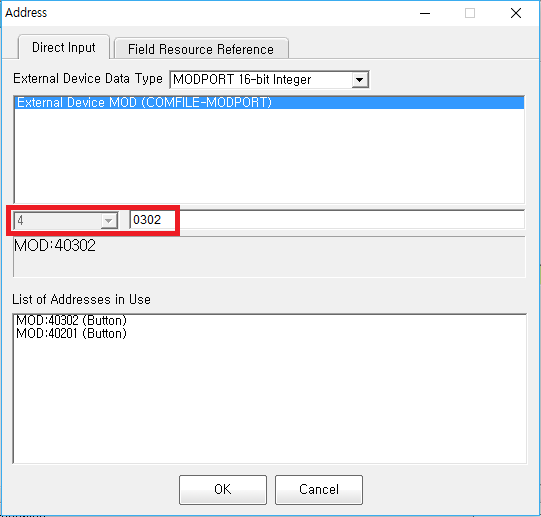
Determination of Display Value Type
For the module that reads the value, the display type must be specified. Please specify as follows.
- MD-ADIN4 : 16-bit integer
- MD-HADIN4 : 32-bit integer
- MD-THRT4, ML-THRT1, ML-NTC2 : 16 bit temperature
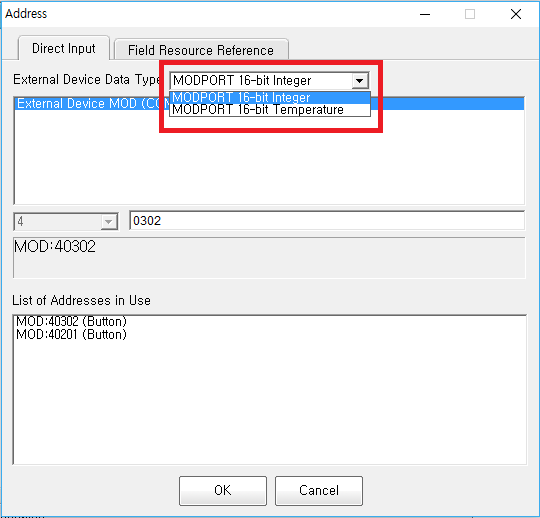
Setting the Slave Address
If multiple modules of the same module are used simultaneously on one RS485 line, the IDs (slave addresses) must be set differently at this time because the addresses are duplicated.
For the MODPORT module, there is a rotary switch on the front that can be changed from 1 to 10 (0 is 10).
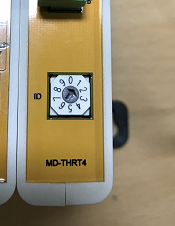
The <External Device> added when creating the project automatically has the slave address set to 1.
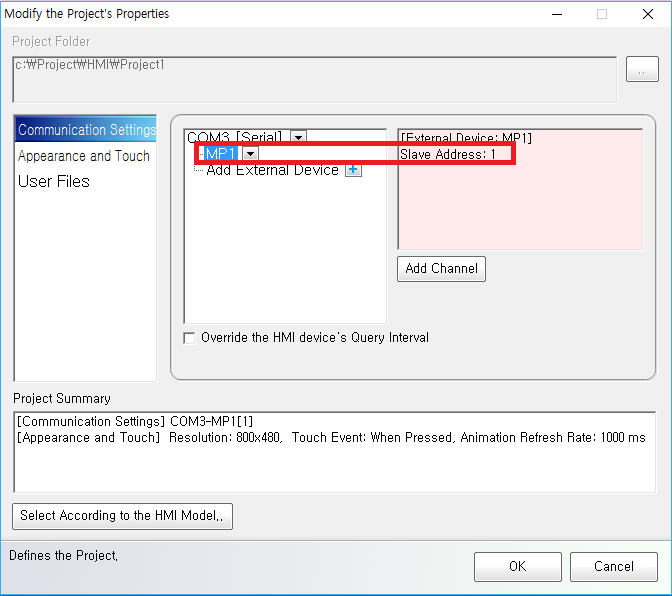
Press the Add External Device button and select a slave address other than 1.
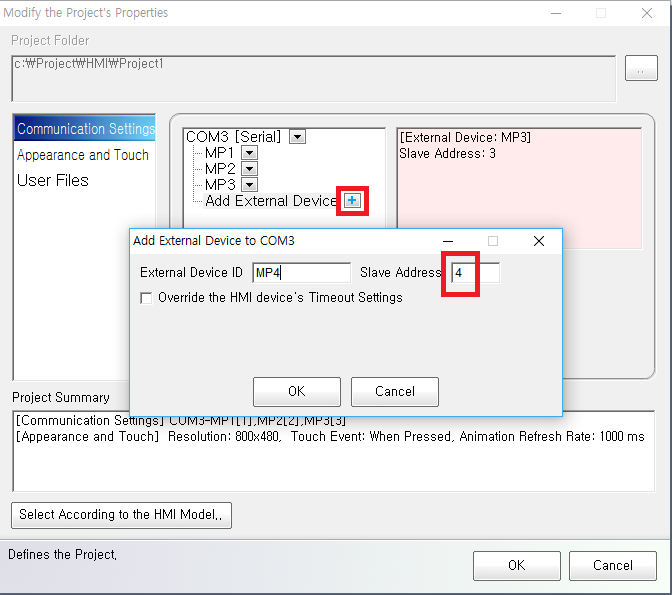
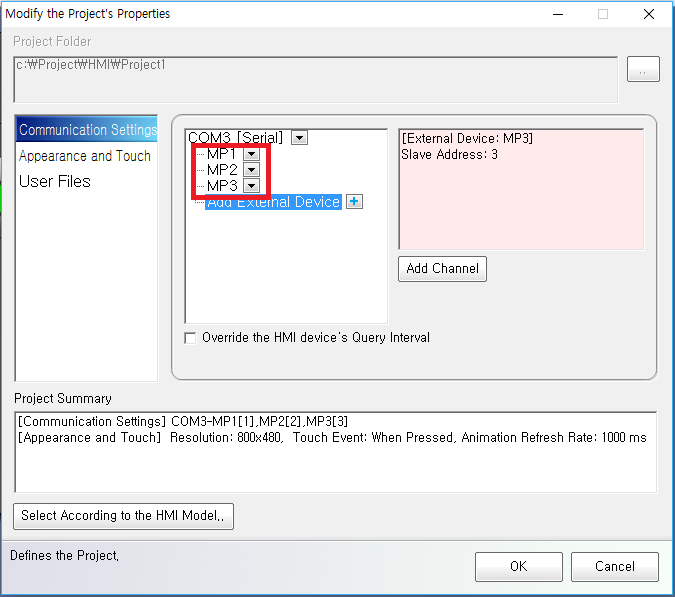
Adding additional slave addresses is straight-forward.
comfilehmi/hmi_connection_modport/index.txt · Last modified: by 127.0.0.1